Packing slip templates and generator
Packing slips in five designs, each in five colours, with the total quantity counted for you. Fill in the form, watch the preview and download the PDF. Free, no signup.
Have an AI assistant? You don't have to type.
Copy this sentence, paste it into ChatGPT, Claude or another assistant and add your details. It reads the instructions and makes the PDF, or tells you how to connect it first.
Read https://pressa.dev/templates/packing-slip/agent.md and make me a packing slip PDF in the Standard design. Here are my details: 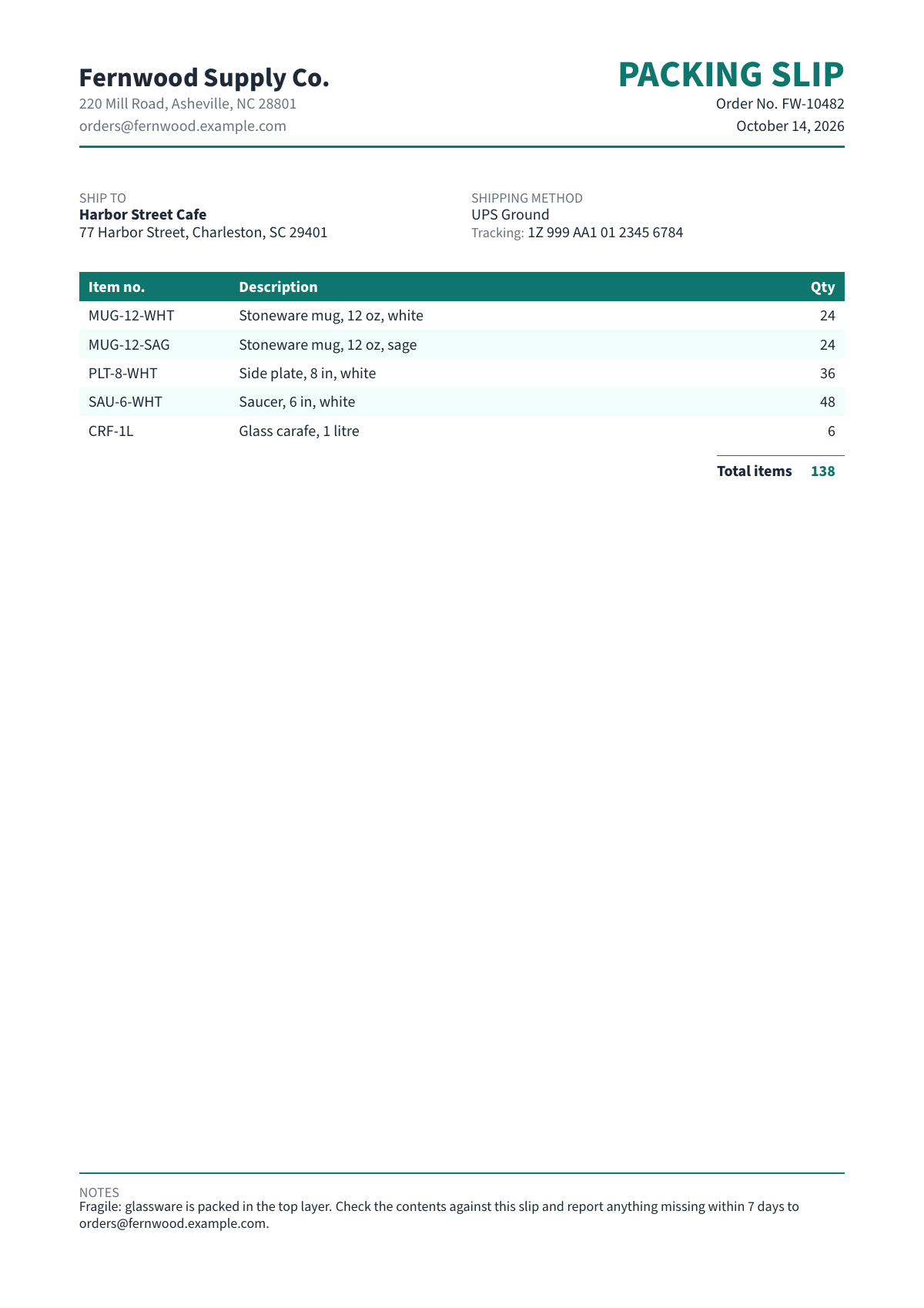
The designs
Every design takes exactly the same details as the others and as the delivery note: a clean standard layout, a bold colour band, a classic serif layout, a minimal layout and a structured corporate grid with a monogram, matching the invoice and purchase order designs of the same name.
Same details, other documents
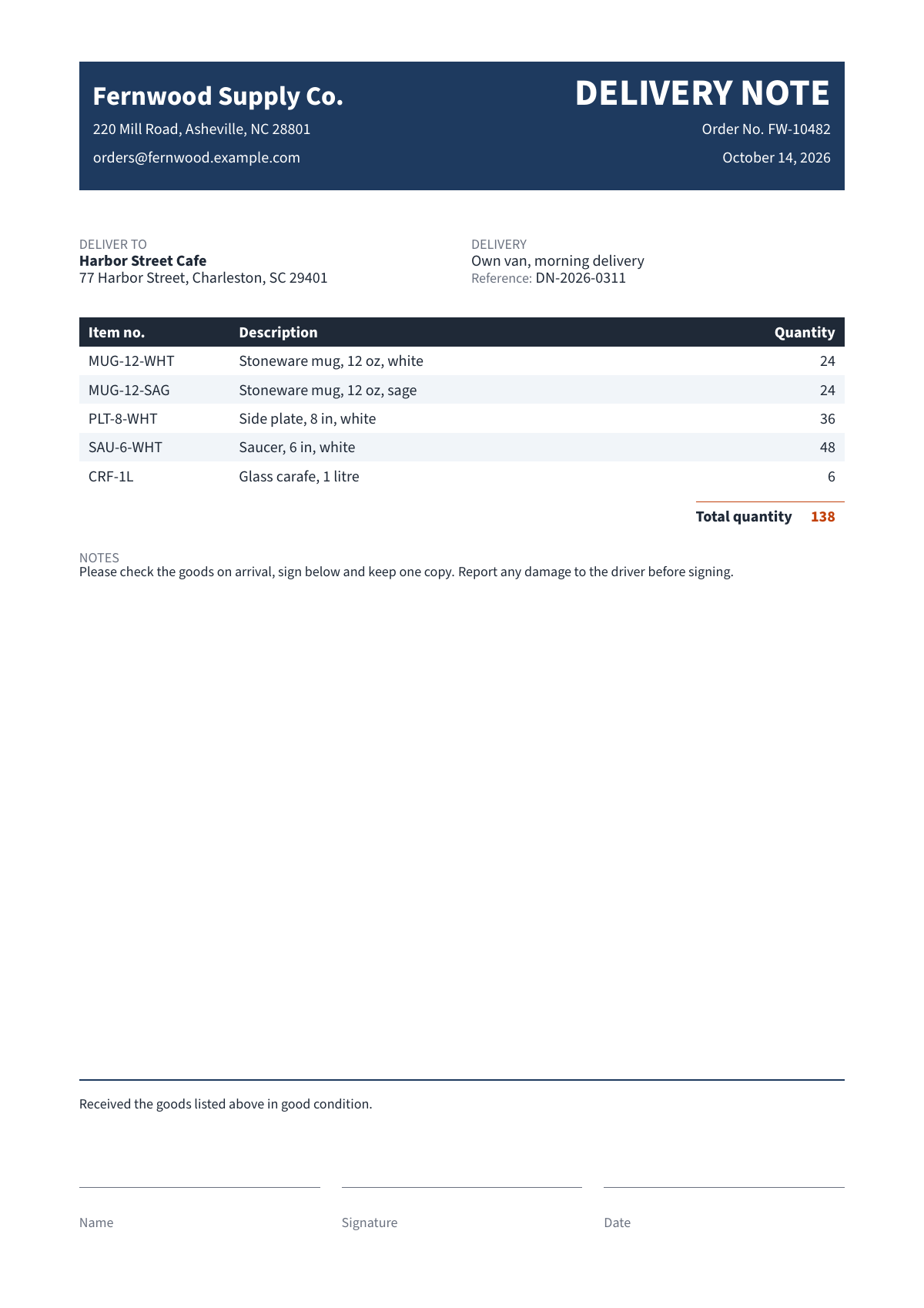
These take exactly the same information, so you can switch without typing anything again.
Goes well with
Use it with your AI assistant
The quickest way is the sentence at the top of this page: your assistant reads these instructions and makes the PDF, or tells you how to connect Pressa if it cannot yet. Assistants that can run commands (Claude Code, Cursor, Codex) do it all on their own.
Or connect Pressa yourself once, then ask for the document in plain words. Your assistant asks for anything it is missing, fills the template and hands you the PDF. To change something later, just say what.
- Connect Pressa. In Claude Code run the command below; other assistants that support MCP take the address
https://api.pressa.dev/mcp.Terminalclaude mcp add --transport http pressa https://api.pressa.dev/mcp - Ask, for example:You
Use the Pressa template "packing-slip" and fill it with my details. Here is what I have: ...
For developers and automations
Send the fields as JSON and get a link to the PDF. It works without a key for a few documents a day; with a free key you get 50 a month. In n8n this is one HTTP Request node, set up as in the n8n guide.
Each design has its own slug, packing-slip, bold-packing-slip, classic-packing-slip, minimal-packing-slip, corporate-packing-slip, and they all take the same data. Add "color": "blue" next to data for another colour.
curl -X POST https://api.pressa.dev/api/v1/public_templates/packing-slip/render \
  -H "Content-Type: application/json" \
  -d @data.json
Sample data.json
{
  "data": {
    "sender": {
      "name": "Fernwood Supply Co.",
      "address": "220 Mill Road, Asheville, NC 28801",
      "email": "[email protected]"
    },
    "order_number": "FW-10482",
    "date": "October 14, 2026",
    "ship_to": {
      "name": "Harbor Street Cafe",
      "address": "77 Harbor Street, Charleston, SC 29401"
    },
    "shipping_method": "UPS Ground",
    "tracking_number": "1Z 999 AA1 01 2345 6784",
    "items": [
      {
        "sku": "MUG-12-WHT",
        "description": "Stoneware mug, 12 oz, white",
        "quantity": 24
      },
      {
        "sku": "MUG-12-SAG",
        "description": "Stoneware mug, 12 oz, sage",
        "quantity": 24
      },
      {
        "sku": "PLT-8-WHT",
        "description": "Side plate, 8 in, white",
        "quantity": 36
      },
      {
        "sku": "SAU-6-WHT",
        "description": "Saucer, 6 in, white",
        "quantity": 48
      },
      {
        "sku": "CRF-1L",
        "description": "Glass carafe, 1 litre",
        "quantity": 6
      }
    ],
    "notes": "Fragile: glassware is packed in the top layer. Check the contents against this slip and report anything missing within 7 days to [email protected]."
  }
}
Fields, sample data and instructions as JSON: GET https://api.pressa.dev/api/v1/public_templates/packing-slip. Source, free under the MIT license, on GitHub.
Questions
- Is it free?
- Yes. Without an account you can make 3 PDFs a day. A free account gives you 50 a month, no card needed.
- Is my data stored?
- What you type stays in your browser, so you can come back to it. The finished PDF is kept only so you can download it: the link works for 1 hour without an account and 24 hours with one, and the file is deleted within about a day. If a PDF cannot be built, the error report can quote a few lines of what you typed; it is kept with the usage records.
- What is the small line at the bottom?
- Free PDFs carry a small "Made with Pressa" line at the foot of the page. The Starter plan ($9 a month) removes it.
- Can I switch designs after typing my details?
- Yes. All 5 designs take the same details, so picking another one or another colour keeps everything you typed. The preview shows the change right away.
- Is the preview free?
- Yes. The preview beside the form does not count against your free PDFs. It is marked PREVIEW; Download PDF makes the finished document.
- Can I make these automatically?
- Yes. The same template works from your AI assistant, from n8n and through the API with JSON data. See the sections above.