What you used to make in Word, your AI now makes with Pressa

Give your AI assistant a Word file, your notes or one sentence. It writes and lays out the document, and Pressa turns it into a PDF that looks professionally designed.

Try it with a document of your own. Attach it and say:

Here is my Word file. Keep the content and make a professional PDF of it with Pressa.

Say "with Pressa". Without it, most assistants make a plainer PDF on their own.

01

A quote for a client

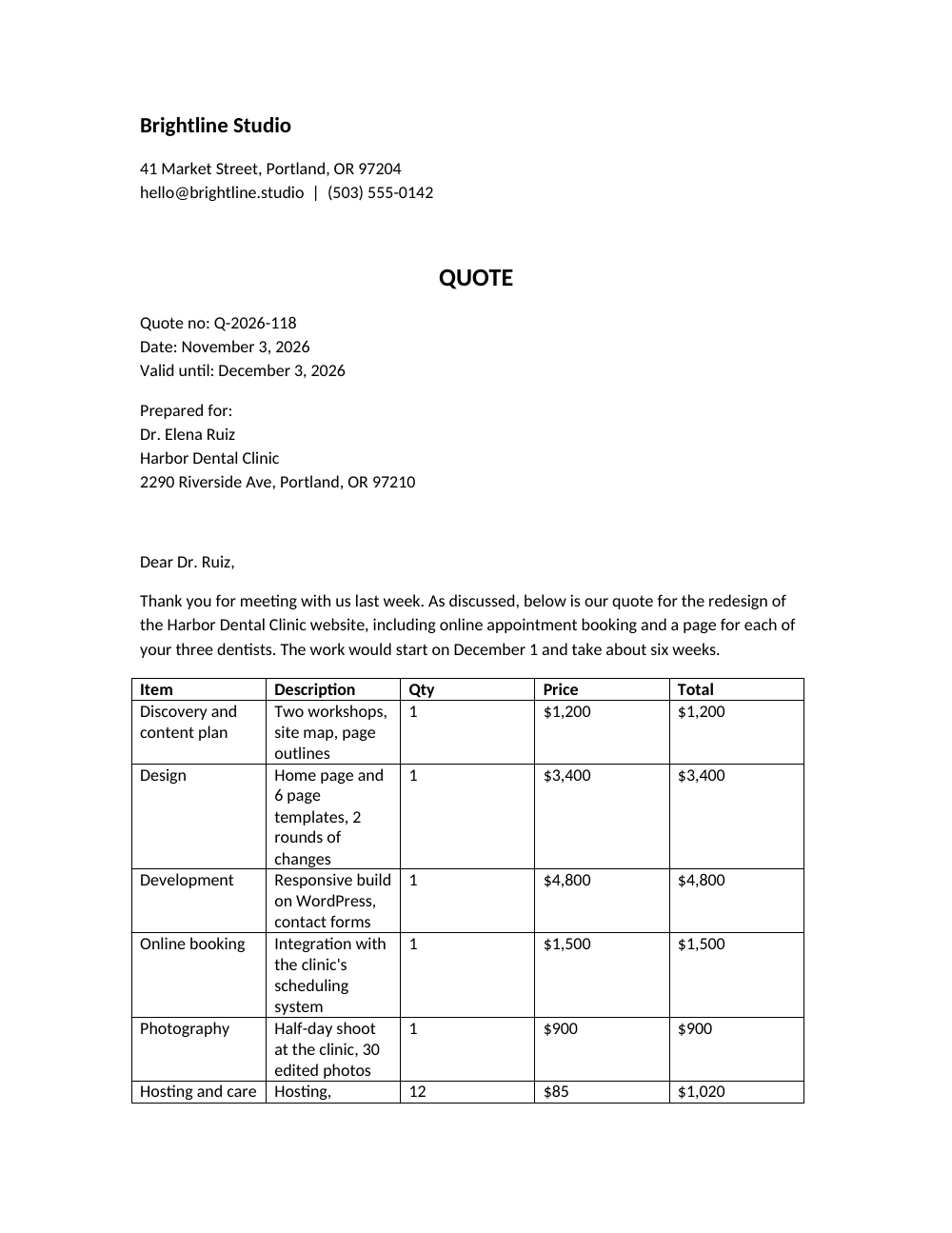
Here is our quote in Word. Keep every number and make it a professional PDF with Pressa.

Attached: quote.docx
Written in WordDownload the .docx
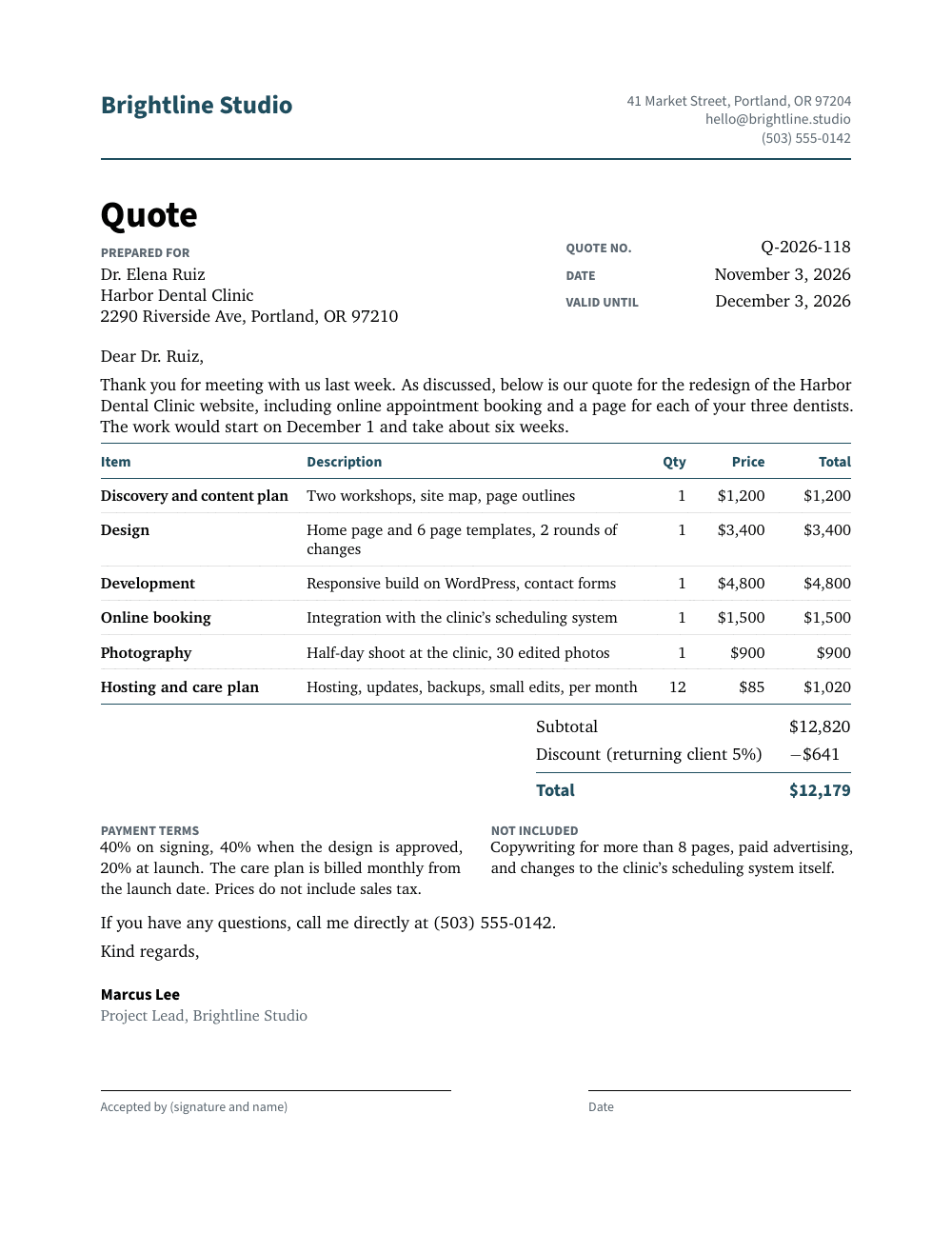
The quote, as written in Word, first page, as Word shows it
Made by the AI with PressaOpen the PDFSource
The same a quote for a client, as a PDF made by an AI assistant with Pressa

Same text and the same numbers. The items became a clean table, the total stands out and the signature lines fit on one page.
02

Meeting minutes from rough notes

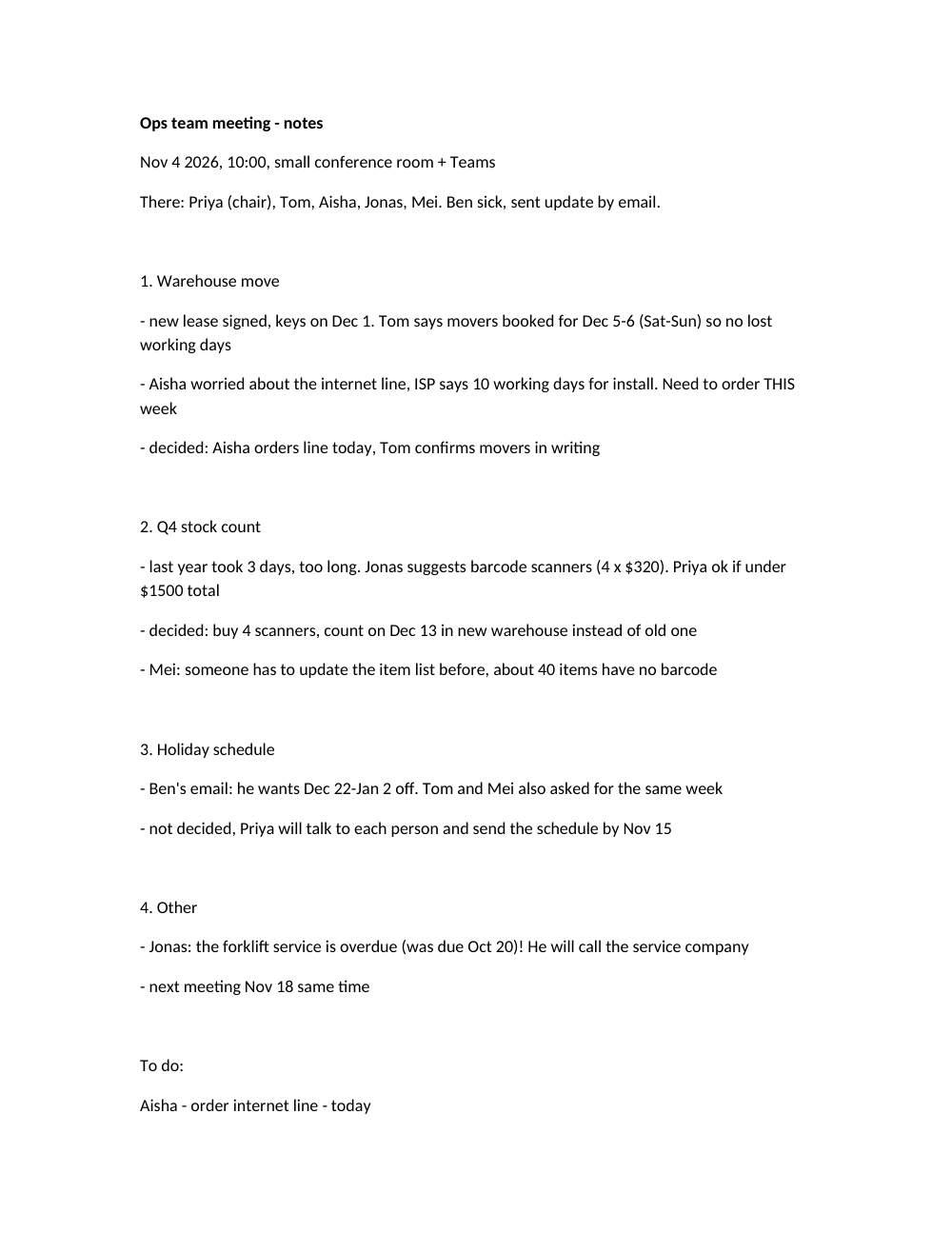
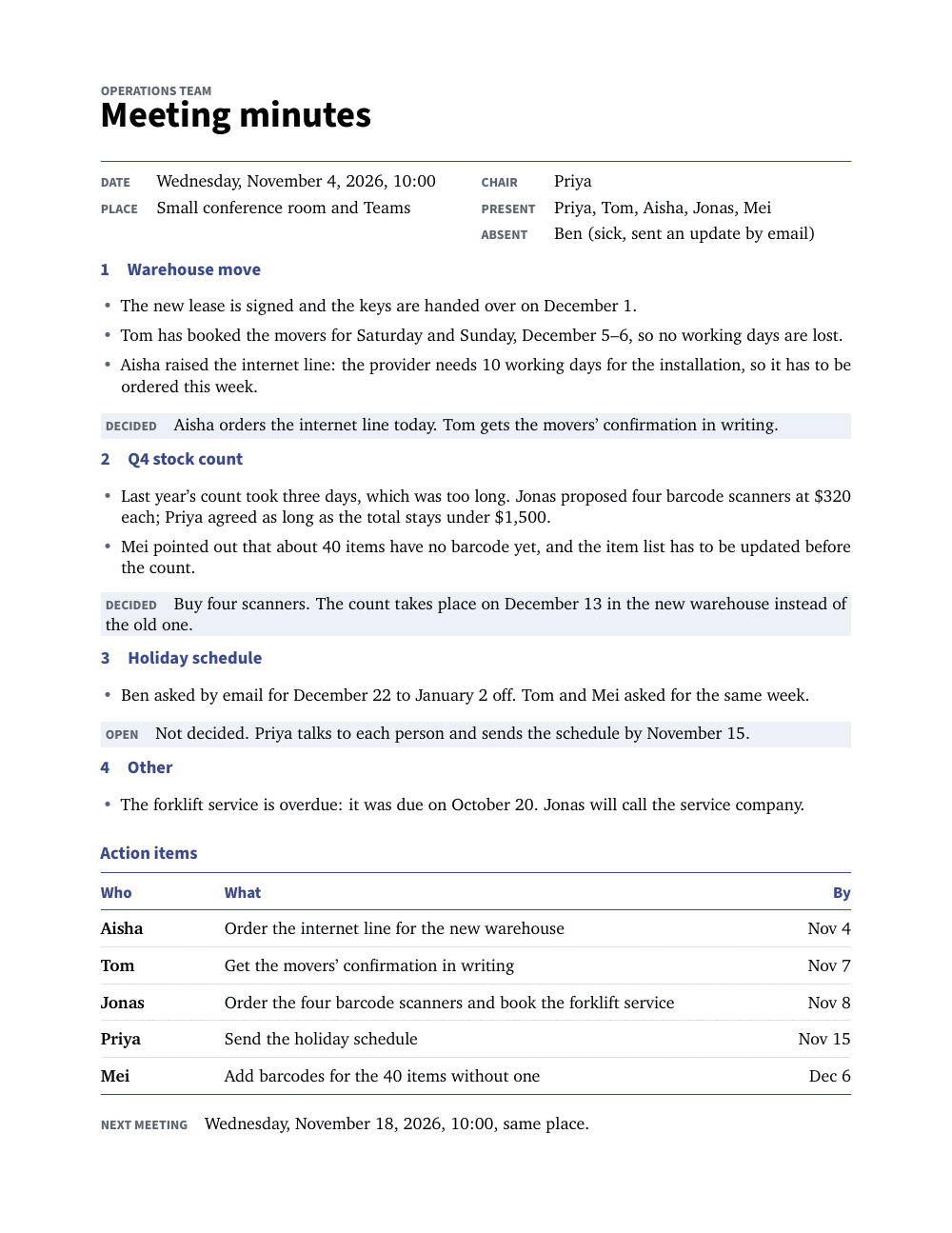
These are my notes from today's meeting. Write proper minutes and make a PDF with Pressa.

Attached: meeting-notes.docx

Written in WordDownload the .docx
Notes typed during the meeting, first page, as Word shows it
Made by the AI with PressaOpen the PDFSource
The same meeting minutes from rough notes, as a PDF made by an AI assistant with Pressa

Nothing added that was not in the notes. Decisions are marked, the open question is marked as open, and the to-do list became a table with names and dates.

03

An official letter to parents

Turn this into an official letter on our school letterhead and make a PDF with Pressa.

Attached: school-letter.docx

Written in WordDownload the .docx
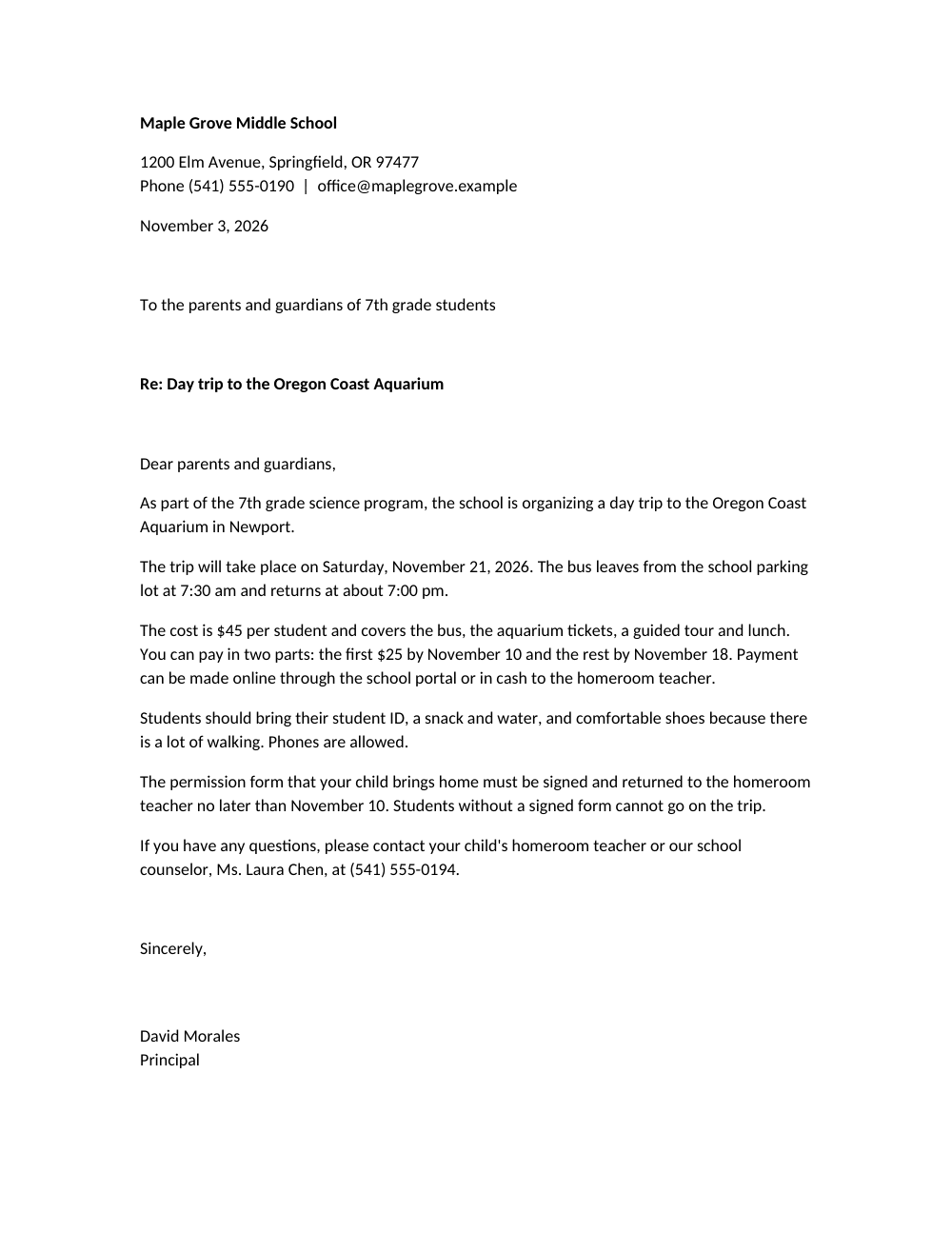
A school's letter to parents, first page, as Word shows it
Made by the AI with PressaOpen the PDFSource
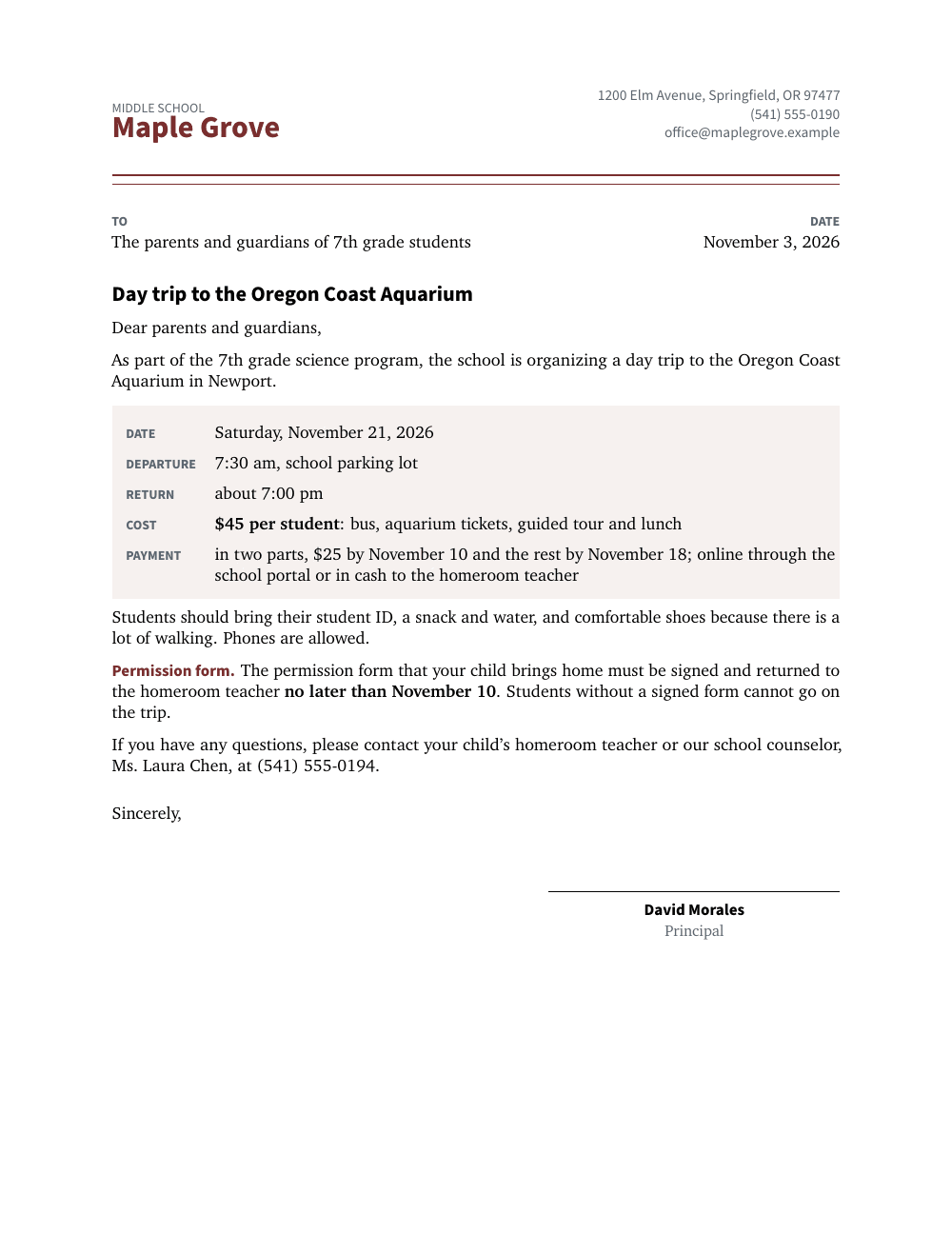
The same an official letter to parents, as a PDF made by an AI assistant with Pressa

The text stays the same. The trip details went into one box a parent can read at a glance, and the deadline for the permission form is in bold.

04

A quarterly report with a chart

Here is my Q3 report in Word. Keep the text, add a chart of the monthly numbers and make a PDF with Pressa.

Attached: status-report.docx

Written in WordDownload the .docx
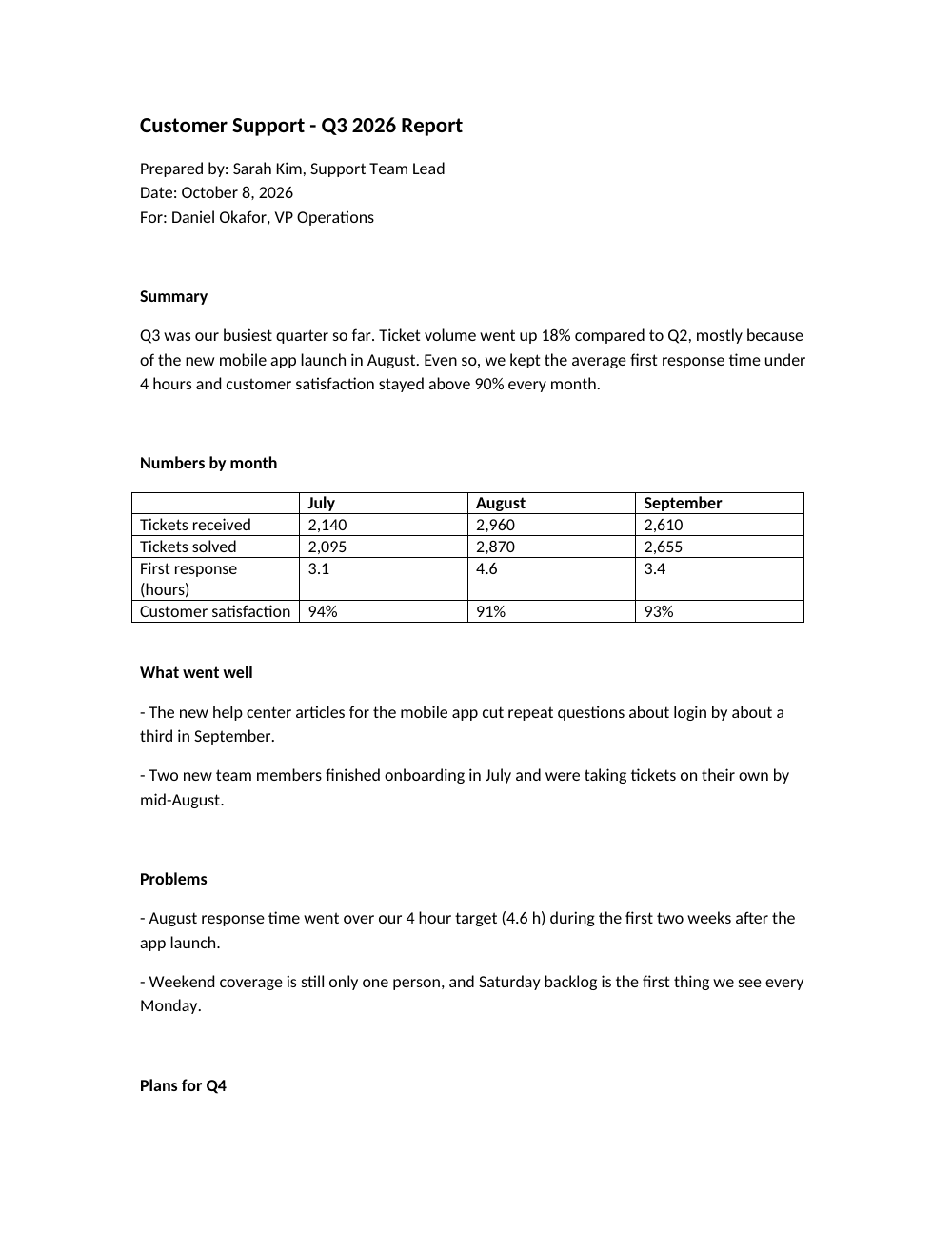
A report with a table of monthly numbers, first page, as Word shows it
Made by the AI with PressaOpen the PDFSource
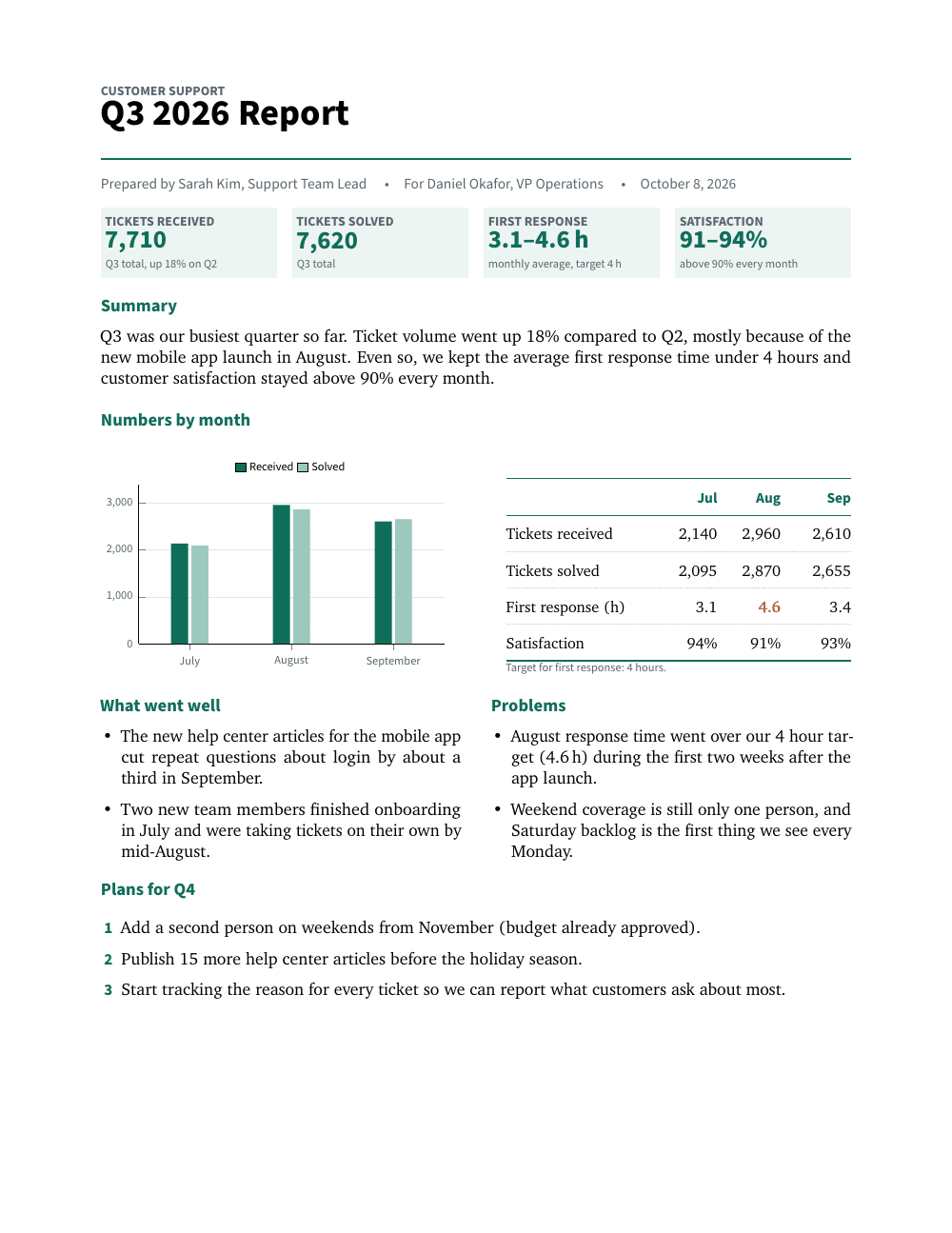
The same a quarterly report with a chart, as a PDF made by an AI assistant with Pressa

The chart is drawn from the numbers in the table. The month that missed the target is marked, and the quarter totals are added up for the reader.

How these were made: the Word files were written the way most of us write them, with the default font and a plain table. Each PDF was made by an AI assistant (Claude) from that file and the sentence above it, through Pressa. Nothing was fixed by hand afterwards; the Source link is the exact file the assistant wrote. The people and companies are made up.

Make your next document this way

Connect Pressa to the AI app you already use. It takes a minute, and the first 3 PDFs a day need no account. A free account gives you 50 a month, without the small "Made with Pressa" line.

Which AI do you use?

Need a standard document?

These ten come as ready-made templates in five designs each: fill in a form or ask your AI assistant, watch the preview and download the PDF. Free, no signup.

Further than a letter

The same engine lays out a whole magazine or an engineering calculation.

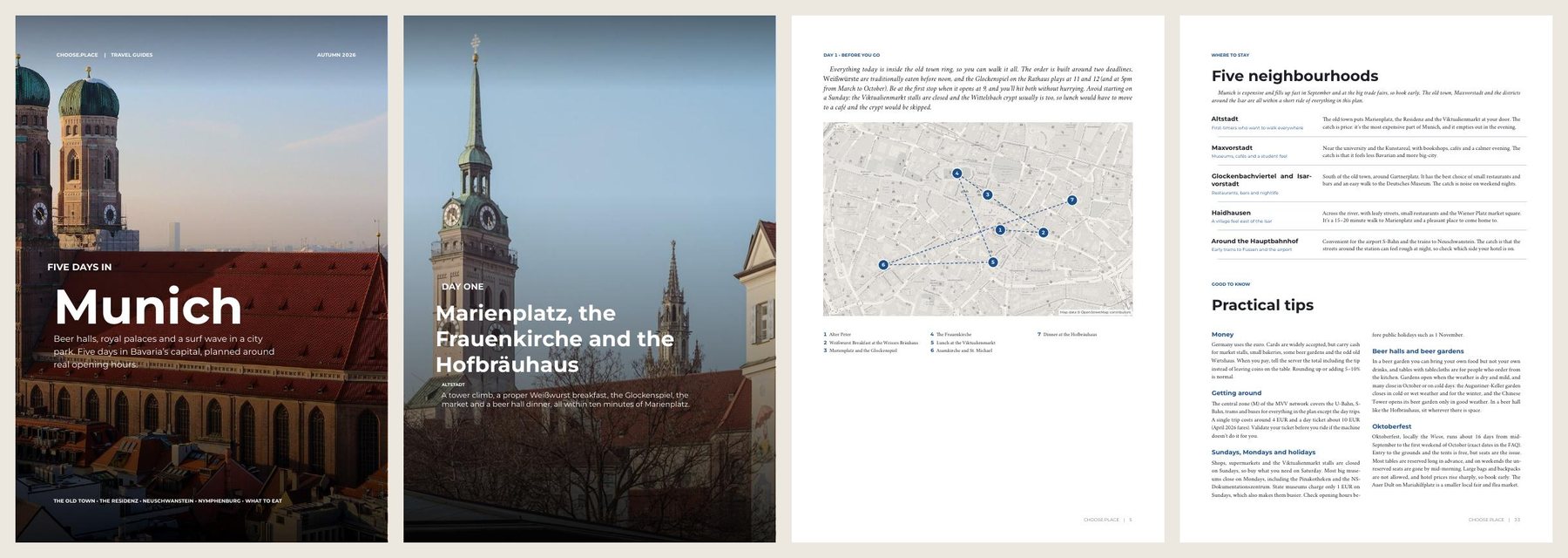
Four pages of the Munich travel magazine: the cover, a day opener with a full-page photo, a day map with numbered stops, and a page of stops with photos

A 36-page travel magazine, laid out from a guide's data

A five-day Munich guide from choose.place went in as structured data: days, stops, opening times, prices, 42 photos and the coordinates of every stop. Out came a magazine with a full-bleed cover, an opener page for each day, a map of each day with its numbered stops, two-column stories, a food section and photo credits. Nobody laid out a single page by hand, so the next guide comes out the same way.

  • 36 pages, 42 photos and 5 maps in one compile of about 3 seconds
  • Page breaks, columns and photo crops handled automatically
  • The same input could produce a guide per trip, per client or per language

An engineering calculation

A beam check written as a calculation sheet: inputs, formulas, results and the pass or fail against the limit, the way an engineer hands it in.

For developers

Every document above is one API call

Your app or agent sends LaTeX and gets a PDF link back, from the REST API, the CLI or the MCP server. This command compiles the quote from the top of this page, with no account and no key:

curl
$ curl -s https://pressa.dev/tex/examples/quote.tex \
| jq -Rs '{latex: .}' \
| curl -s -X POST https://api.pressa.dev/api/v1/compile \
-H "Content-Type: application/json" -d @-

Without a key: 3 PDFs a day, up to 3 pages, with a small "Made with Pressa" line. A free key removes the line and raises the limits.

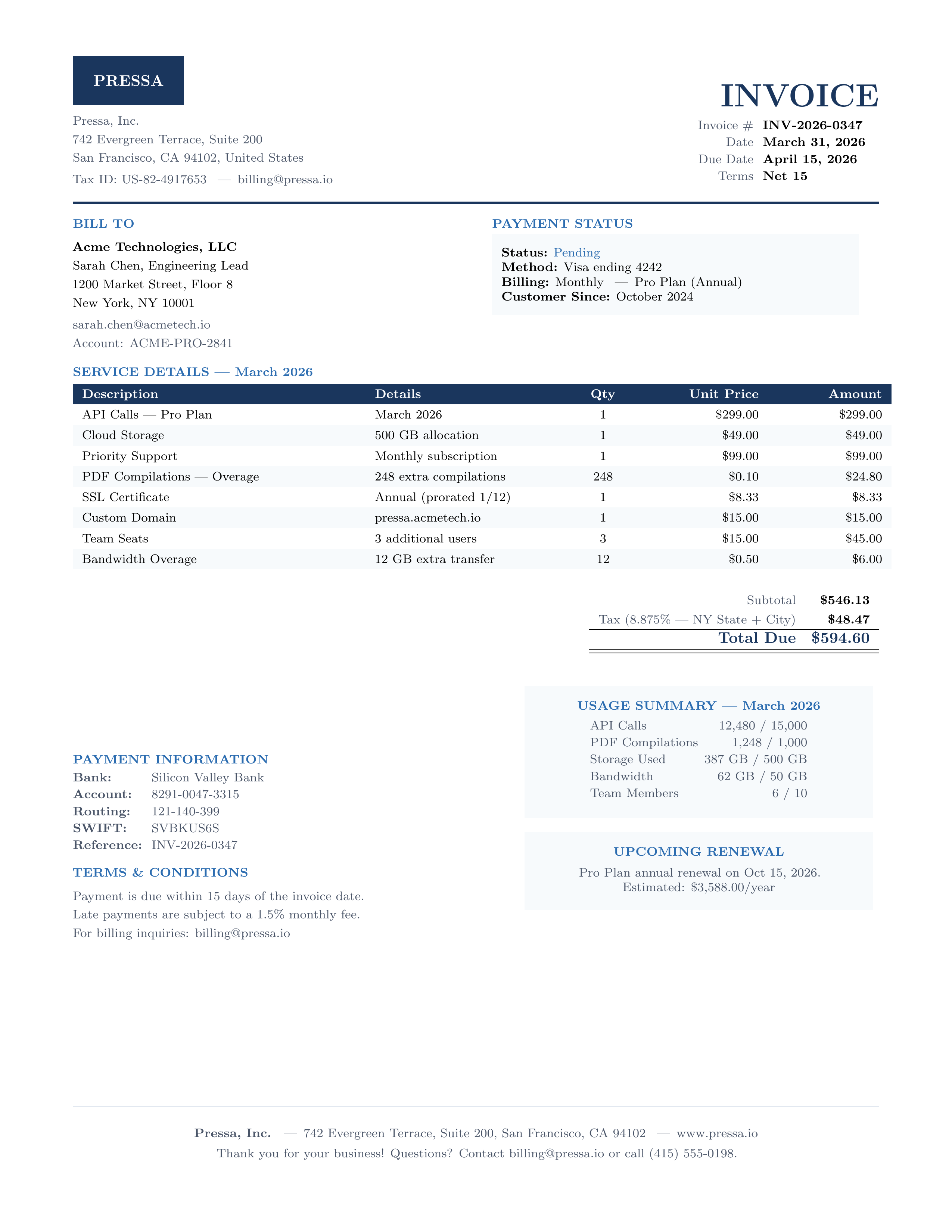
SaaS Invoice PDF example

SaaS Invoice

PDF

Itemized billing with company branding, tax calculations, and payment terms.

The request

"Generate an invoice for Acme Corp. 3 line items: API calls ($299), storage ($49), and support ($99). Net-30 payment terms, 8% tax. Include our logo and bank details."

Fill in the invoice template
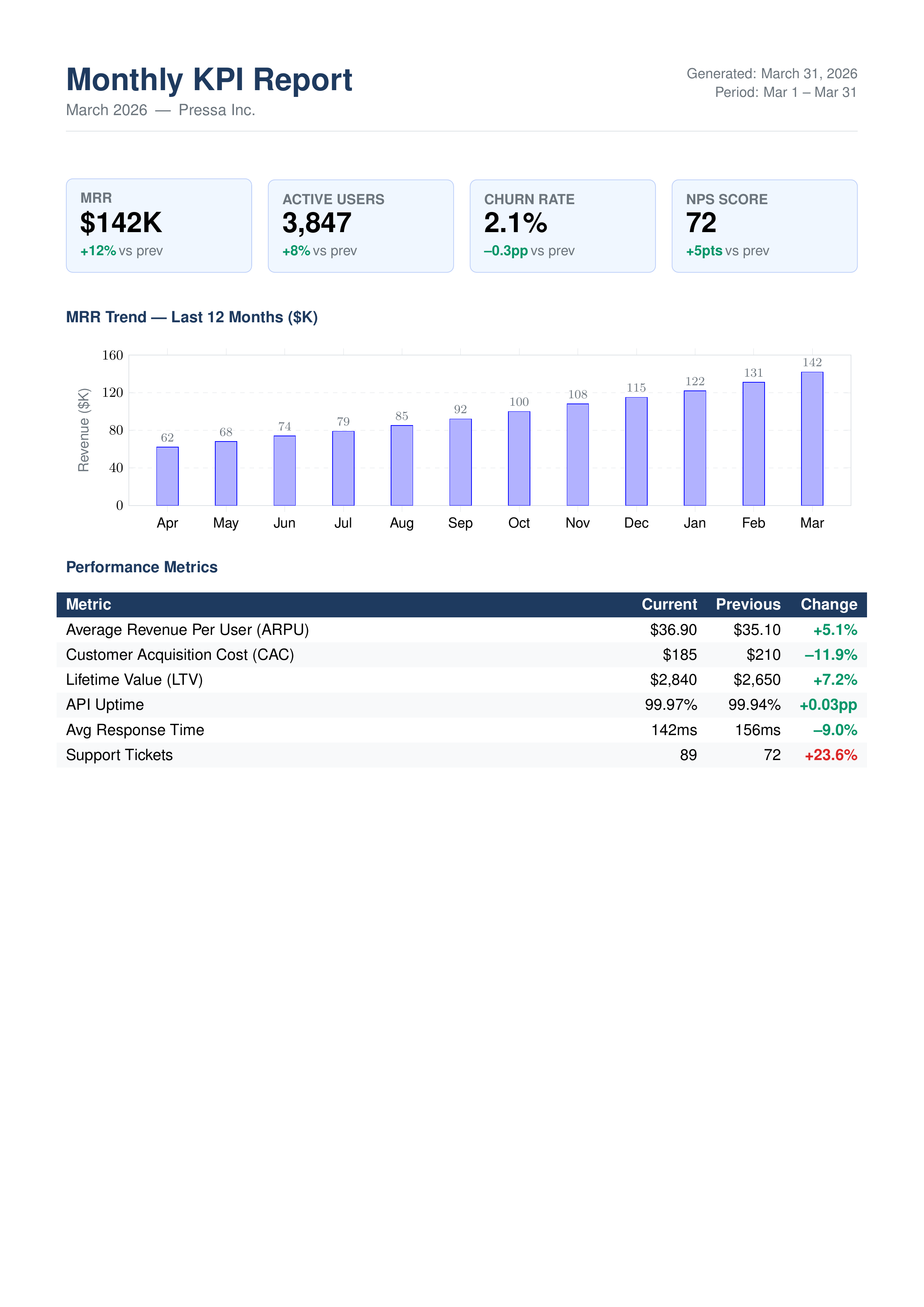
Monthly KPI Report PDF example

Monthly KPI Report

PDF

Executive dashboard with charts, trend analysis, and automated performance summaries.

The request

"Create a monthly KPI report for March 2026. Revenue: $142K (up 12%), churn: 2.1%, NPS: 72. Include a bar chart of MRR over the last 12 months and a summary table of top metrics."

Fill in the monthly report template
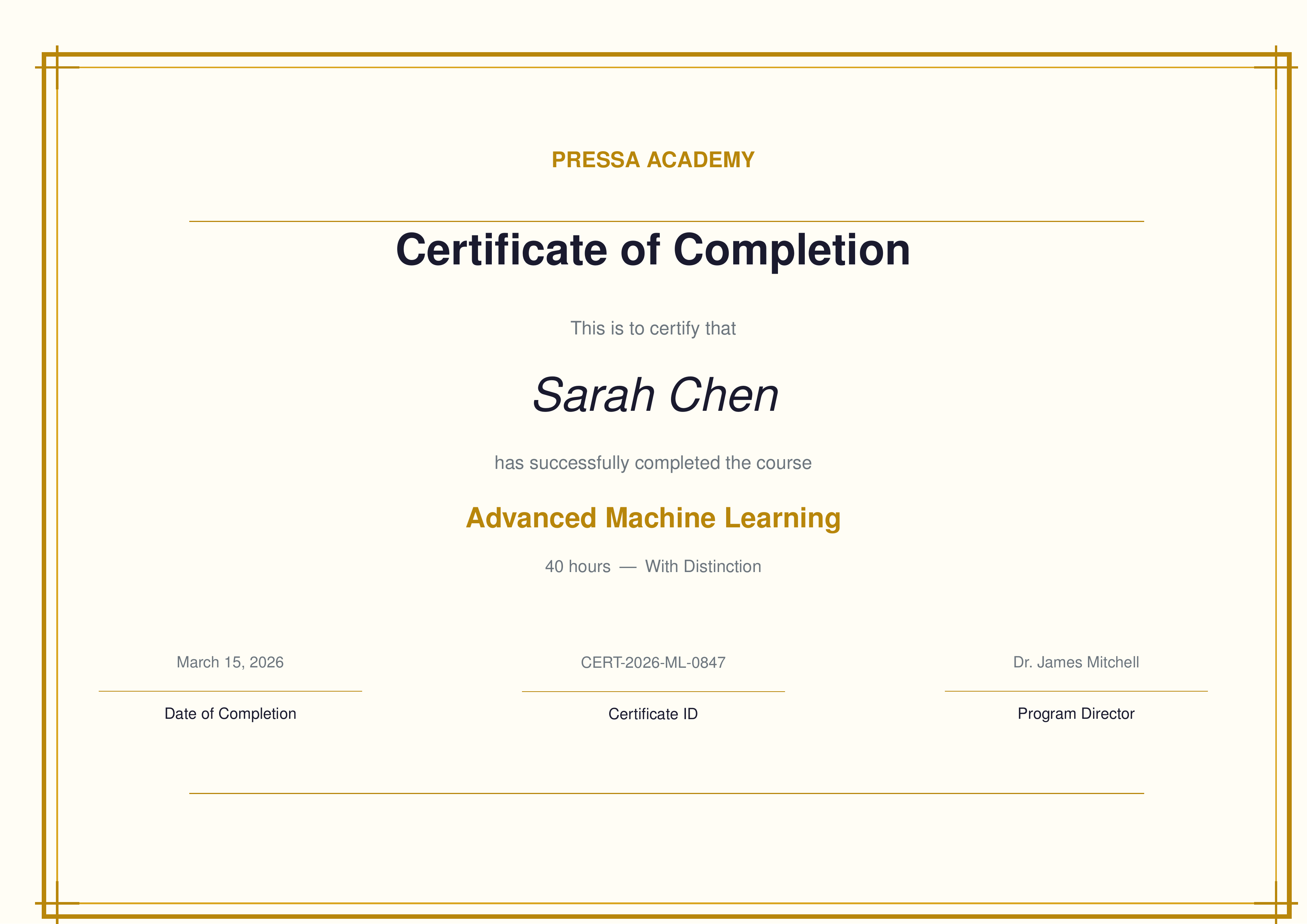
Course Certificate PDF example

Course Certificate

PDF

Branded completion certificates with unique IDs, QR verification, and elegant typography.

The request

"Create a certificate of completion for 'Advanced Machine Learning' course. Student: Sarah Chen. Date: March 15, 2026. Include a gold border, the academy logo placeholder, and a QR code for verification."

Fill in the certificate template
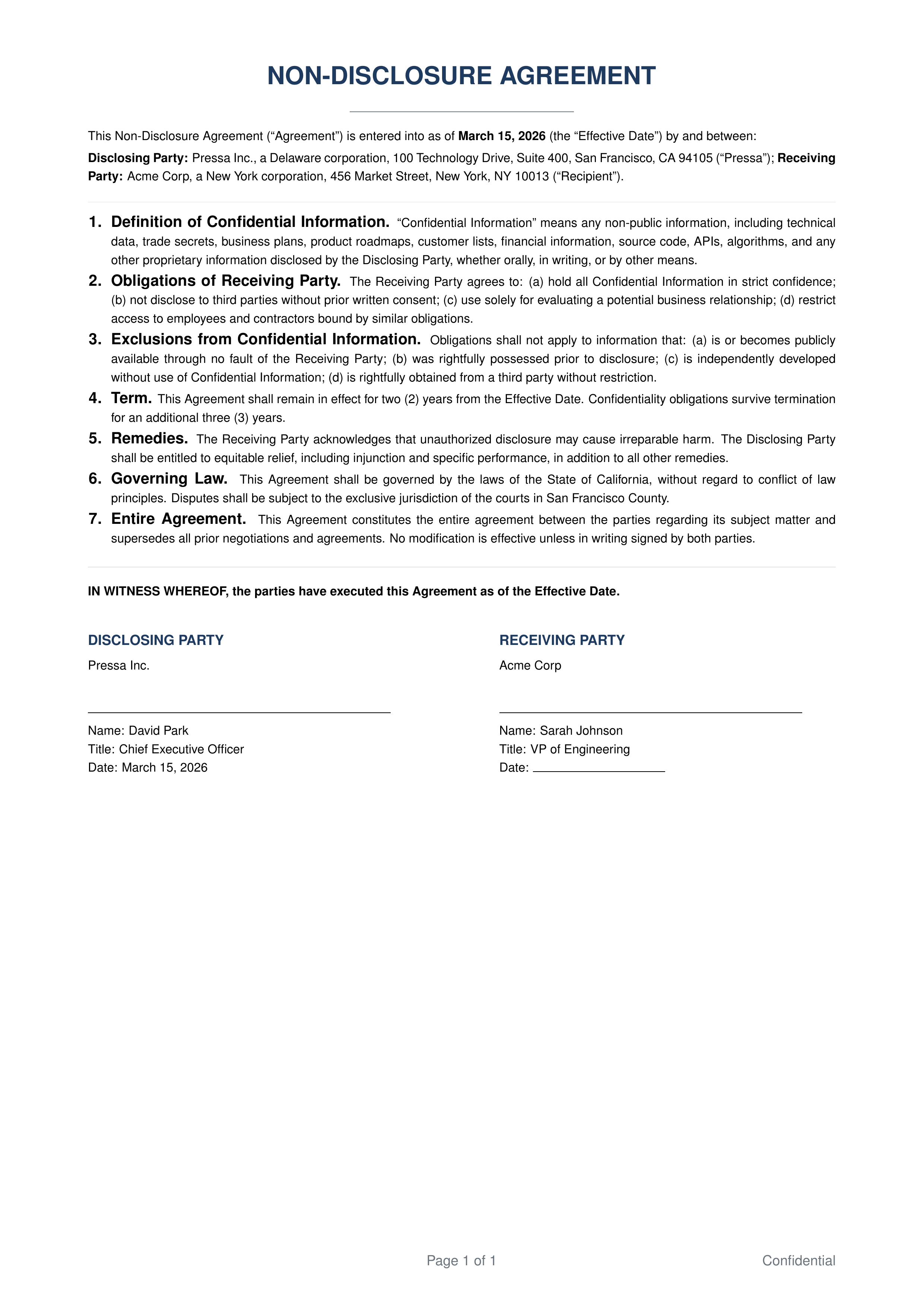
NDA / Contract PDF example

NDA / Contract

PDF

Legally structured agreements with numbered clauses, signature blocks, and professional formatting.

The request

"Draft a mutual NDA between TechCorp Inc. and DataFlow LLC. Standard 2-year term, include definitions of confidential information, permitted disclosures, and signature blocks for both parties."

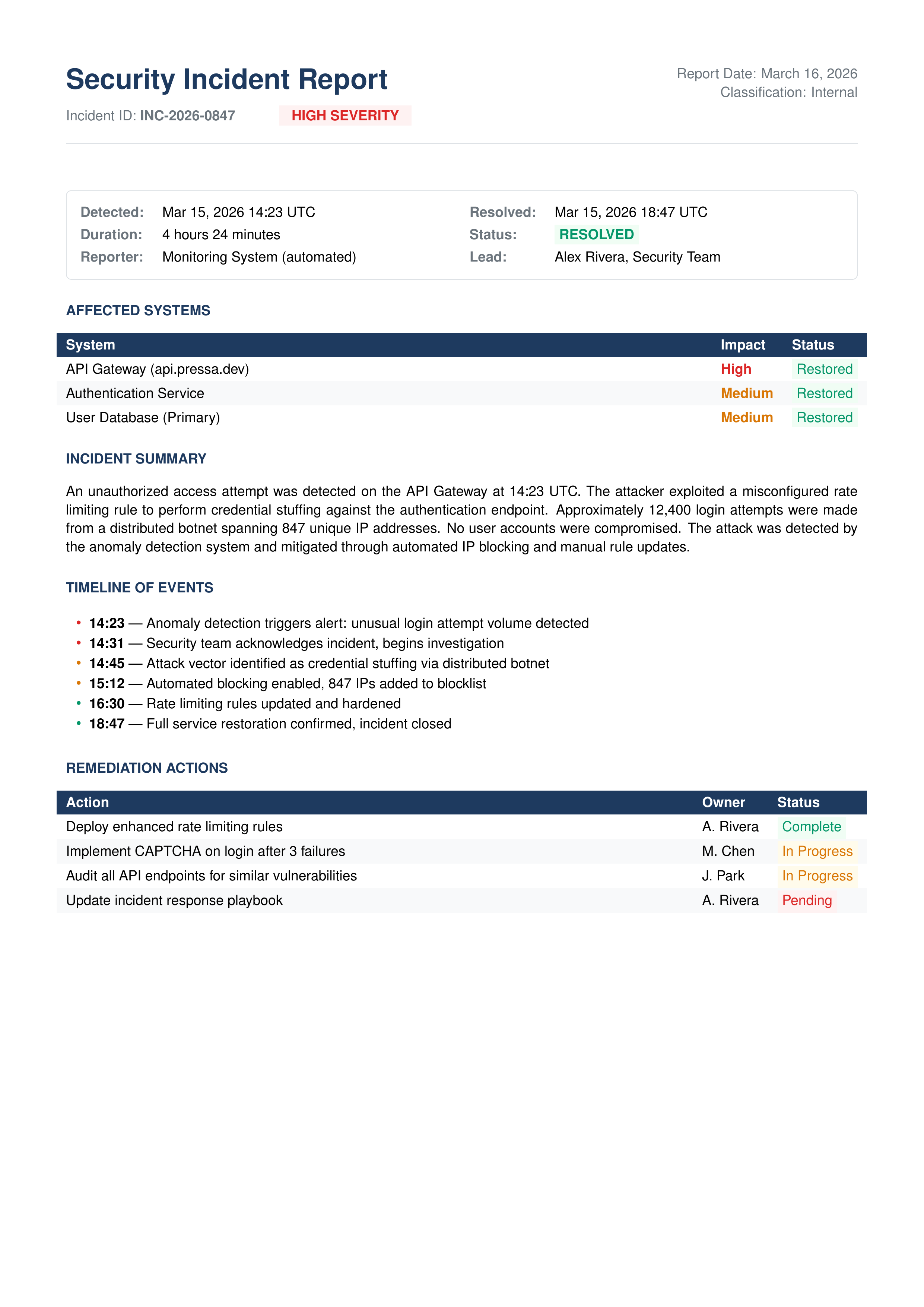
Security Incident Report PDF example

Security Incident Report

PDF

Structured incident documentation with severity levels, timelines, and remediation steps.

The request

"Create a security incident report. Severity: HIGH. Unauthorized API access detected on March 12 at 14:23 UTC. Include timeline, affected systems, root cause analysis, and remediation steps."

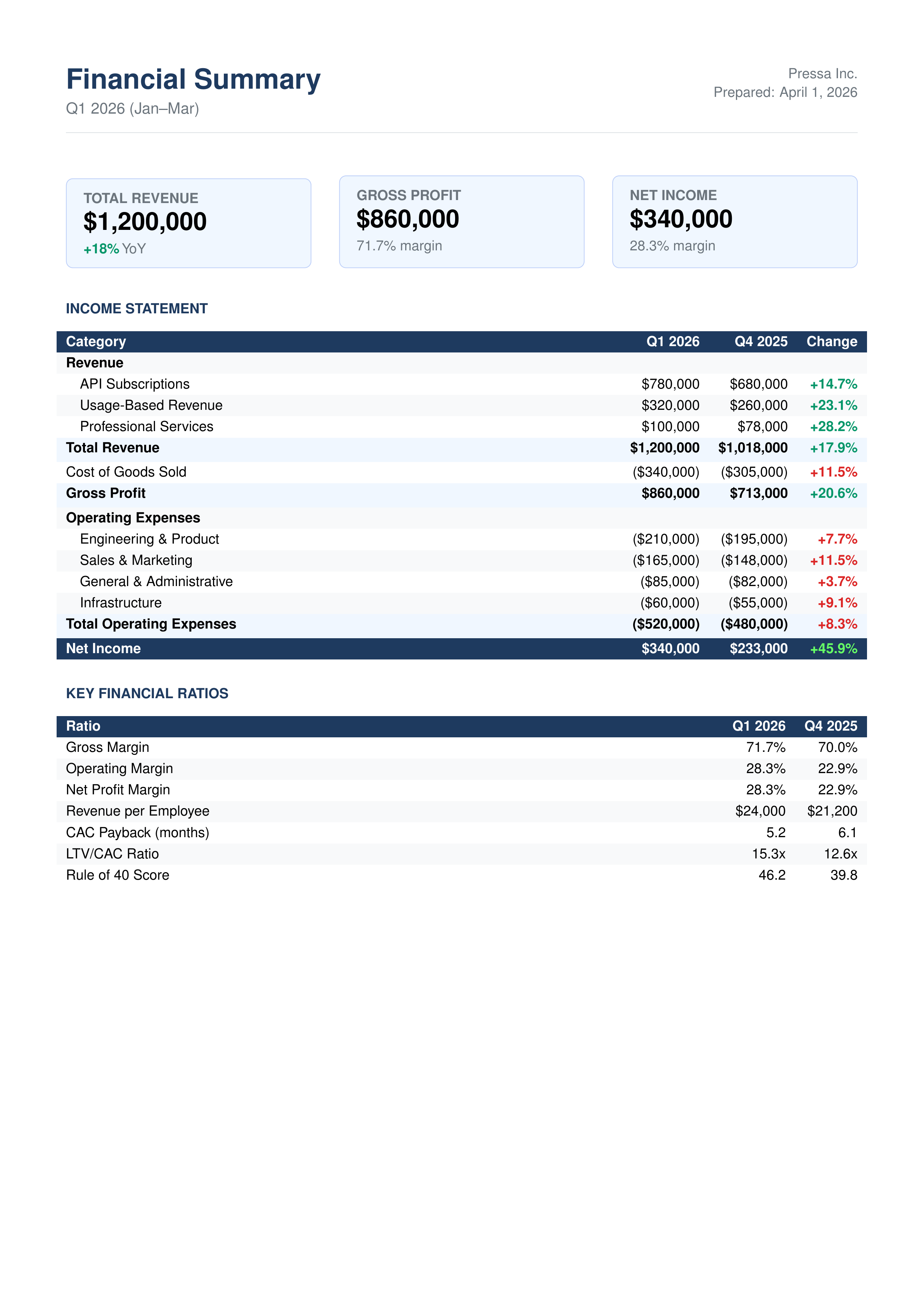
Financial Summary PDF example

Financial Summary

PDF

Revenue breakdowns, expense tables, and profit summaries with precise numerical formatting.

The request

"Generate a Q1 2026 financial summary. Revenue: $1.2M, COGS: $340K, operating expenses: $520K. Break down revenue by product line (API, Enterprise, Self-serve). Include gross and net margins."

Your next document, without Word

Connect Pressa to the AI you use, then ask for the document. Free to start.